
StreamCap: Never Miss a Livestream
Have you ever found yourself in this situation: a favorite streamer suddenly goes live while you’re busy with something else, and by the time you remember, the stream is already over? Or perhaps you know a streamer is scheduled to go live at a certain time, but you keep forgetting to tune in?
Don't worry! Today I’m recommending a fantastic tool called StreamCap, an open-source application that automatically records live streams. In short, it keeps an eye on the stream for you and records it the moment it starts, so you never have to worry about missing out on any great content again.
Platforms supported: TikTok, Twitch, YouTube,Douyin, Kuaishou, Bilibili, Douyu, Huya.
Automatic monitoring: Monitors live streams 24/7 and starts recording immediately when a streamer goes live.
Multiple formats: Recorded videos can be saved in various formats such as MP4, FLV, and TS.
Scheduled recording: Set specific monitoring time slots —for example, only between 8 PM and 11 PM.
Batch processing: Monitor multiple streamers simultaneously, handle everything with a single application.
1. Practical Guide
1.1 Recording a Single Livestream
The simplest use case is recording a specific streamer's broadcasting:
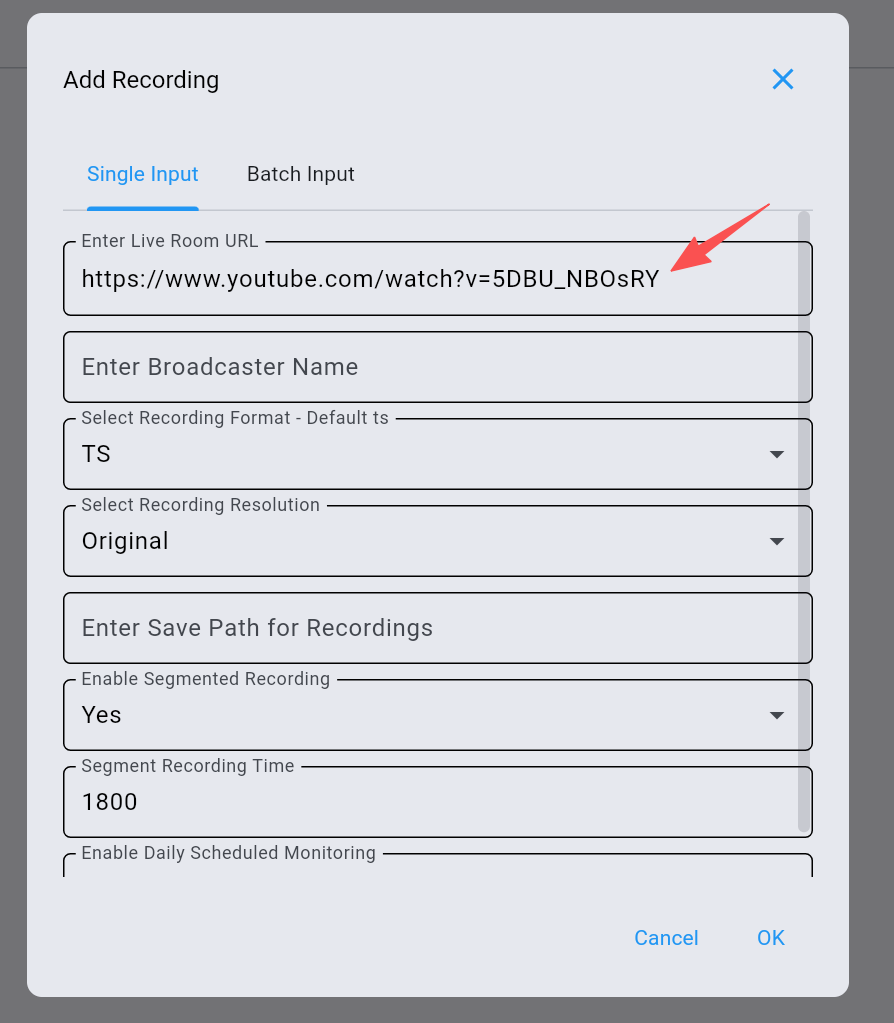
Copy the livestream link and paste it here like below: https://www.youtube.com/watch?v=ENgGISokMS0
Select the save path, format and Click Start Recording.
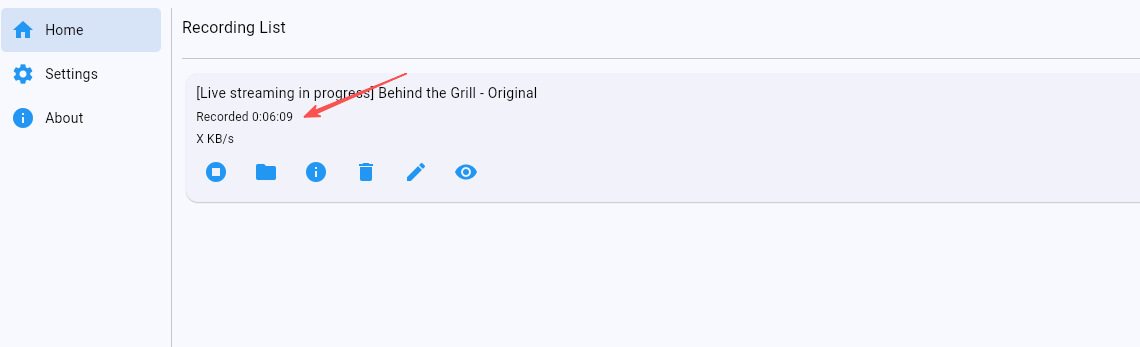
You can see that it is currently recording:
1.2 Batch Monitoring Multiple Streamers
This is where the true power of StreamCap lies:
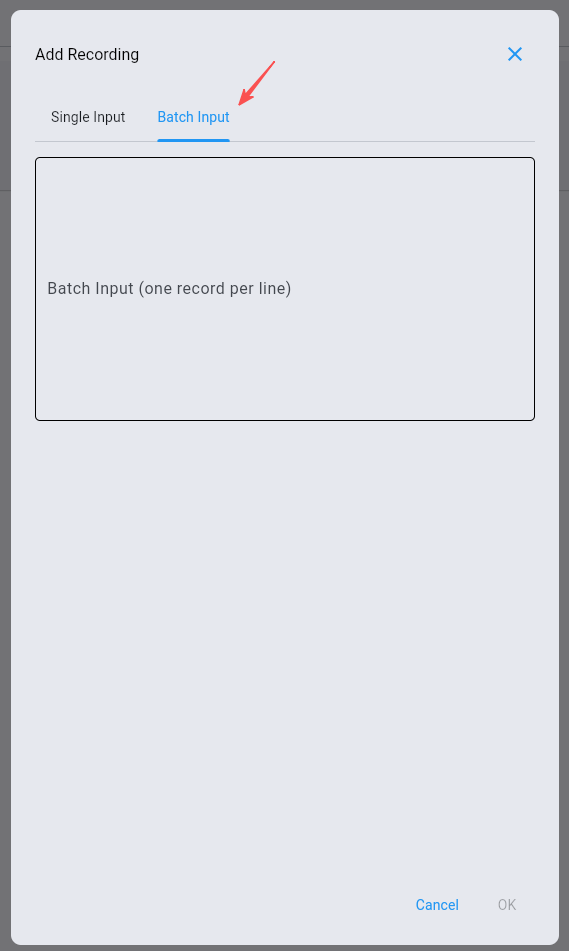
Create a monitoring list, add the links of all your favorite streamers
and monitor dozens of streamers simultaneously.
1.3 Set up Continuous Monitoring
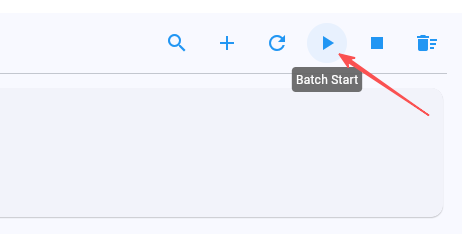
Enable continuous monitoring mode. The software checks the live stream status every few minutes. Recording starts automatically whenever a broadcast begins.
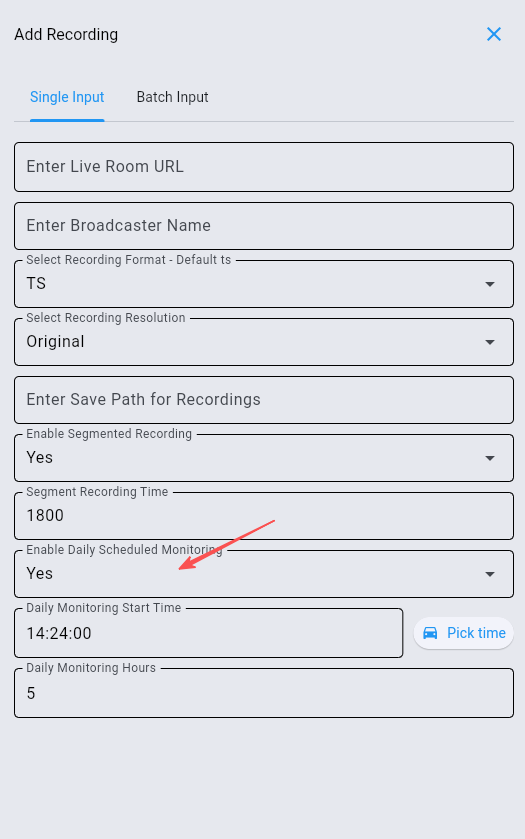
1.4 Scheduled Monitoring
If you only want to record during specific time slots — for example, setting it to monitor from 8 PM to 11 PM, while the software remains idle at other times.
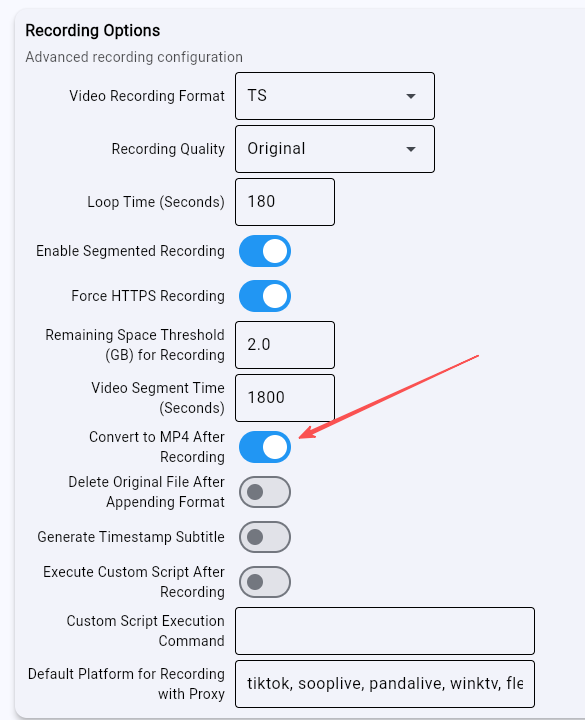
After recording, StreamCap can automatically convert the video to MP4 format for easier post-processing:
Enable "Auto-transcoding" in the settings. An MP4 file is automatically generated after recording. The original file is also saved.
1.5 Push Notifications
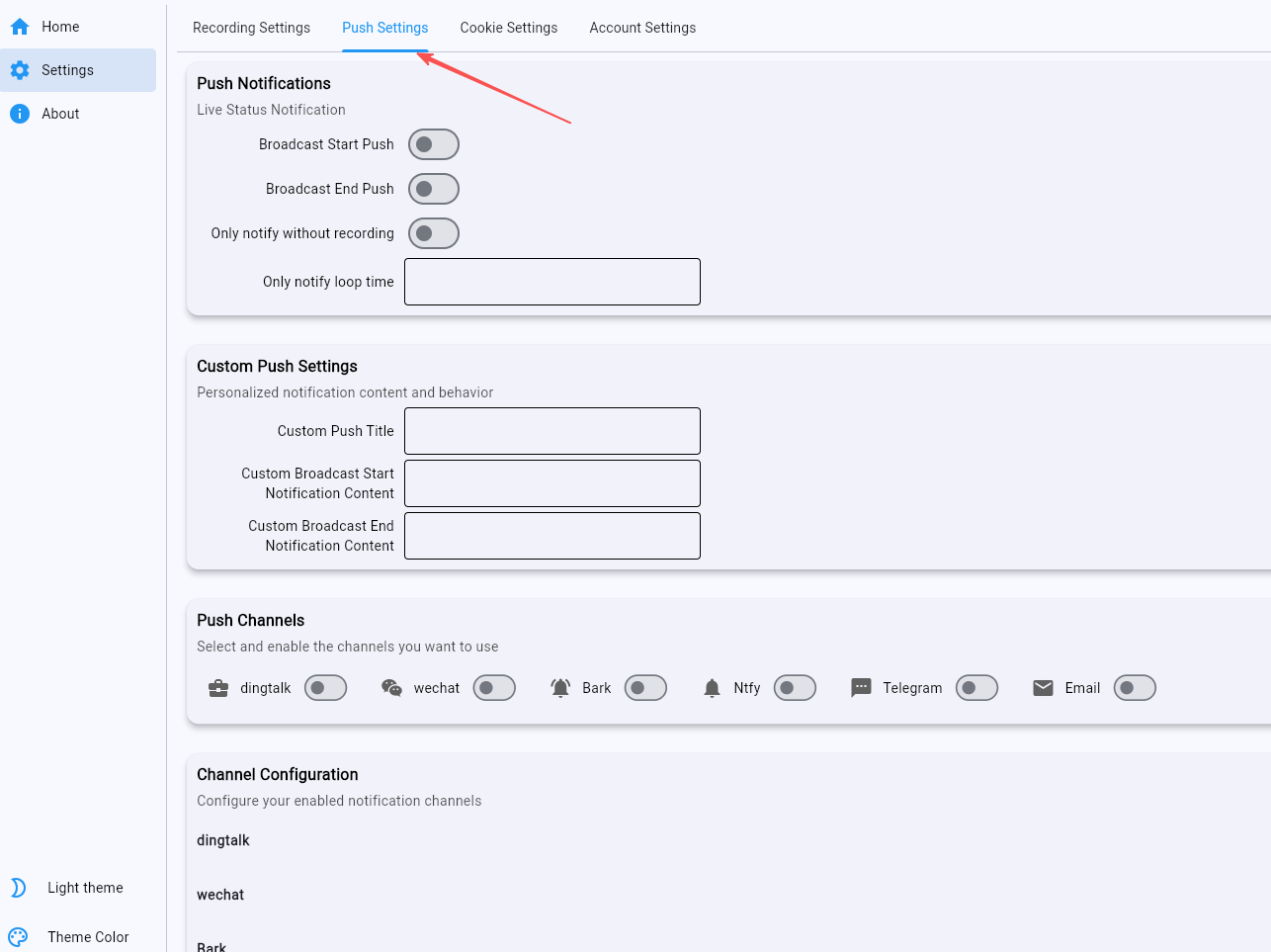
Want to know the moment a streamer goes live? You can set up push notifications:
Supports various notification methods. Receive alerts as soon as the stream starts. Never miss a live broadcast again!
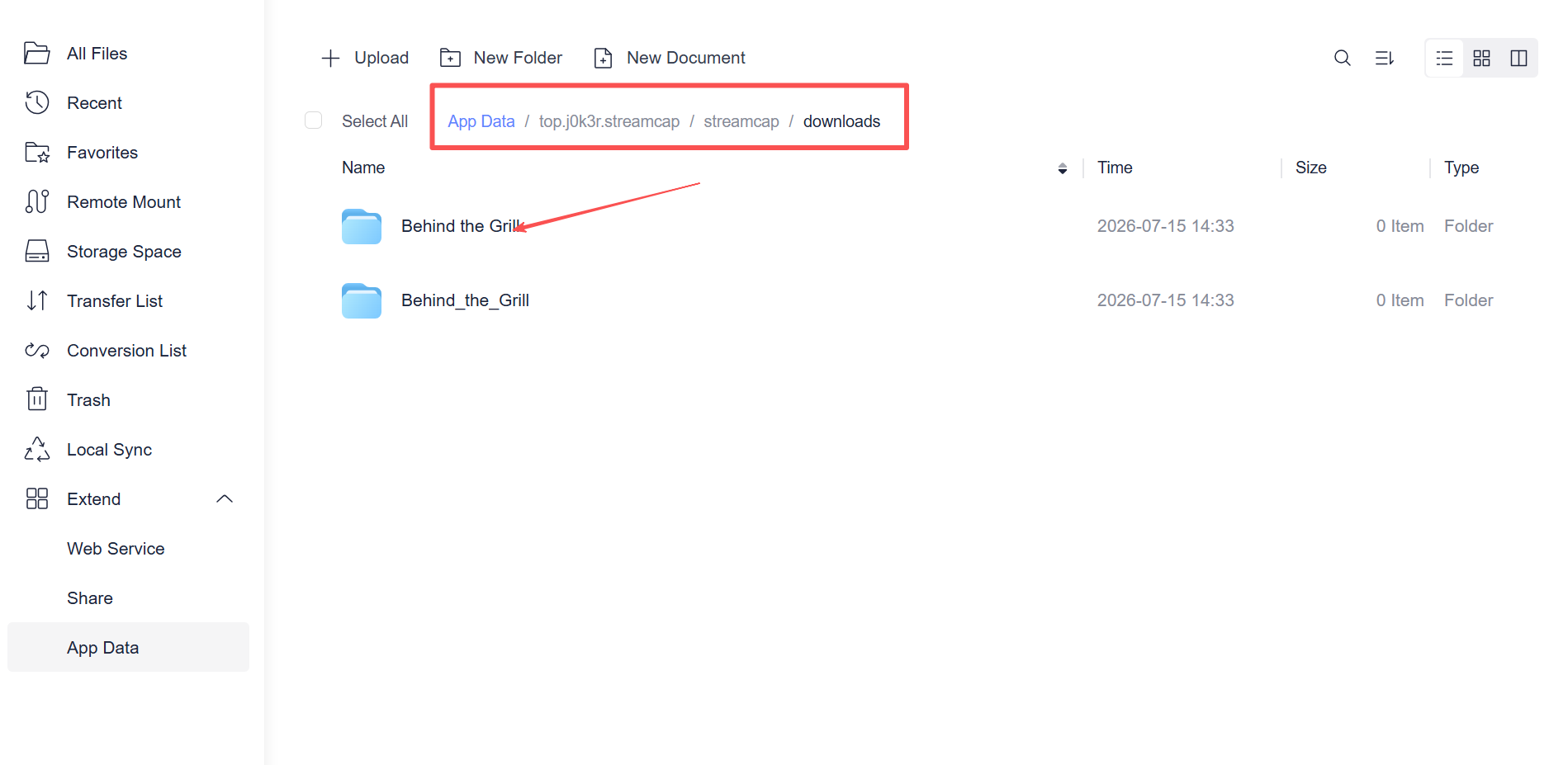
You can view the recorded videos under the app data.
2. Recommended Use Cases
Many teachers livestream lessons on platforms like YouTube, but their schedules vary:
Add all the educational streamers you follow to the monitoring list;
Configure monitoring to run only on weekday evenings;
Automatically record the streams to watch later at your convenience.
Gamers: Capture impressive gameplay moments
Like the way a particular streamer plays?
Record the gameplay to study it at your own pace;
Clip out highlights to create a compilation;
Build your own personal library of instructional videos.
3. Summary
StreamCap is a highly practical tool, especially for those looking to systematically collect live stream content. Whether you are a student, a gamer, or a content creator, you can find a way to use it that suits your needs.
If you often find yourself frustrated by missing live streams, give this tool a try — it might just completely transform your viewing experience!