
More Than an AI Pod: Meet Your Next PC
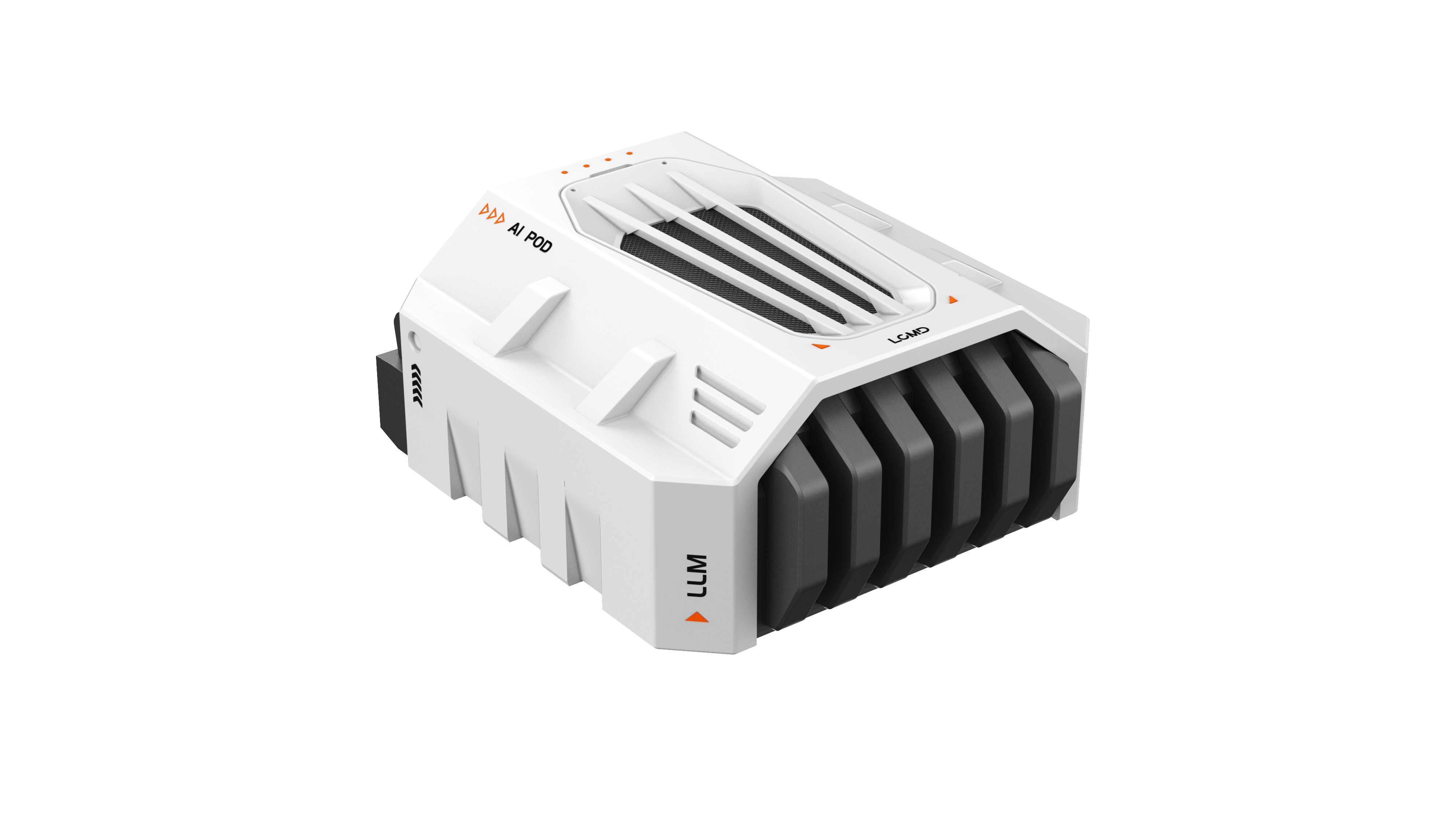
In my previous articles, I mainly walked you through unboxing the AI Pod and setting up SSH access with passwordless sudo. This time, we’re diving into its true "essence" — the NVIDIA Jetson AGX Orin development board. Many people write off the Orin as just another embedded dev board meant for powering robots, drones, or edge computing experiments. But after spending some real time with it, I’ve come to realize it can easily double as a fully functional mini PC.
But why call it a PC? In this article, I’ll take you to look at another side of the Orin. I’ll break it down across several key areas: the hardware, the operating system, the software ecosystem, its scalability, and actual user experience.
1. The Hardware Essence of AI Pod
AI pod is a heavily modified Jetson AGX Orin, an embedded computing module launched by NVIDIA in 2022. You're probably already familiar with its core parameters:
GPU: Ampere architecture, up to 2048 CUDA Cores + 64 Tensor Cores, with a maximum computing power of 275 TOPS (INT8).
CPU: 12-core ARM Cortex-A78AE, with a maximum clock speed of 2GHz+.
Memory: Supports up to 64GB LPDDR5 (the AI Pod is the 64GB version), with a bandwidth of up to 204.8GB/s.
Storage: In addition to built-in eMMC, it can be expanded via NVMe SSD.
IO Interfaces: PCIe, USB-C, HDMI, Gigabit/10 Gigabit Ethernet ports, etc.
On paper, these specs are comparable to, if not better than, a typical lightweight PC. While the CPU is indeed based on the ARM architecture, the combination of 12 cores and 64GB of RAM, along with the GPU's computing power, far surpasses most thin and light laptops on the market. In particular, Orin's GPU was originally designed for AI inference and training, giving it a natural advantage in deep learning scenarios.
In other words, if you use an NUC or a mini PC to run LLM, you might still have to rely on an x86 CPU; while Orin is inherently a combination of "AI accelerator card + ARM CPU", making it more like "out-of-the-box" AI.
2. Operating Systems & Feel Like a True PC
The AI Pod comes pre-installed with Ubuntu 20.04 LTS, a Linux distribution that is very familiar to everyone.
This means:
You can install various software using apt, just like on a PC.
Docker, Kubernetes, and Python environments can all run directly.
It supports a desktop GUI. If you connect a monitor, keyboard, and mouse, it becomes an ARM Linux desktop machine.
When I logged in for the first time, I was even a little dazed: wasn't this just like running a Linux virtual machine on my laptop? For example, I could run sudo apt install htop and then run docker ps, and everything was no different from my PC.
What's even more interesting is that, because Orin is positioned as an "edge AI device," NVIDIA provides the JetPack SDK, which includes a complete AI toolchain such as CUDA, cuDNN, TensorRT, and DeepStream. On a regular PC, these tools either need to be installed separately or may not support the ARM platform; but on Orin, they are integrated at the system level, essentially meaning "the software is included with the board."
3. Software Ecosystem and Compatibility
If hardware and system give Orin the "form" of a PC, then the software ecosystem is key to making it truly "usable like a PC."
Development Tools: VSCode and PyCharm ARM versions are supported, and even containerized development environments are supported.
Databases: MySQL and Redis supported
Web Services: Nginx, Flask, and FastAPI are all set up exactly like on a PC.
Containerization: native support for Docker + Compose, making running LLM model containers a breeze.
Edge AI Frameworks: PyTorch, TensorFlow, ONNX Runtime, and Triton Server all have ARM versions.
This is similar to the Raspberry Pi, but Orin's computing power is far much higher. The Raspberry Pi is more like a "toy PC," while Orin is more like a "professional PC," suitable for running large models and AI applications.
It’s also worth noting that the community has already rolled out K3s and Kubernetes deployment solutions for the Orin. In other words, you can easily spin it up as a mini cluster node right at home.
4. Expandability: An Upgradeable PC
For any device claiming to be a PC, expandability is non-negotiable.
Storage: Features native NVMe SSD support. I installed a 2TB NVMe SSD, and the speed and stability have been flawless.
Networking: The modified AI Pod adds a 10G Ethernet port, giving it a massive edge for home NAS setups or AI computing nodes.
Peripherals: USB-C and HDMI ports let you easily hook up external monitors, keyboards, and mice for a complete desktop experience.
Power & Cooling: Equipped with enhanced air cooling. When running large models for hours, it keeps temperatures significantly lower than the official developer kit.
Ultimately, these expandability features check every box for a true PC. You can install an OS, upgrade hardware, connect peripherals, and seamlessly switch from coding to everyday office work and video streaming.
5. The Pros and Cons of Using AI Pod as a PC
Advantages:
Low Power Consumption: Power consumption is around 60W under full load, much more energy-efficient than a desktop PC.
Quiet Operation: The modified fan in the AI Pod is very quiet even in a home environment.
Excellent Ecosystem: Ubuntu + NVIDIA toolchain ready to run AI applications.
Small Size: Smaller than an ITX desktop PC.
Disadvantages:
ARM Architecture Compatibility: Some software only has x86 versions, requiring extra configurations for certain desktop applications.
GPU Driver Limitations: Although CUDA is available, some third-party tools do not yet fully support ARM.
While the Orin can function as a standard PC, it truly shines as an AI PC. If your daily routine consists solely of basic office work and web browsing, you’re better off buying a traditional mini PC like an NUC. However, if your workload involves running large language models, deploying AI services, or managing Docker containers, the AI Pod offers unbeatable value.
6. AI Pod and "Home Supercomputers"
When we consider the AI Pod as a PC, combined with its AI-focused positioning, we can envision a new way of using it:
Home AI Supercomputing Node: Place it next to your NAS, run an LLM service, and the whole family can access it.
Edge Development PC: coding, run models, and deploy services — all locally, without relying on the cloud.
Community Shared PC: Combined with LCMD's applications, publish your AI applications directly, making them available to more people.
Learning/Research PC: For developers and students, it's a low-power, quiet, and long-term suitable "laboratory-grade desktop machine."
This is why I increasingly feel that the LCMD AI Pod is no longer just an "embedded board," but a true PC + AI chip.
7. Conclusion
LCMD AI Pod creates the "future form of PC". Traditional PCs are designed for office work, entertainment, and gaming. While Orin's AI PC is designed for "everyone running AI locally" in the future.
AI Pod positions Orin as a "home-grade supercomputer," which is actually driving this transformation. It's not like the DGX, which costs hundreds of thousands of dollars, nor is it like the Raspberry Pi, which is "toy-like." Instead, it's positioned in a "professional but home-accessible" category.
Therefore the AI Pod is also a PC, this isn't an exaggeration, but a reality. It can be used for coding, office work, and running containers. More importantly, it can run AI models. This combination may be the true meaning of the "personal computer" of the future.