
Introduction to AI Pod
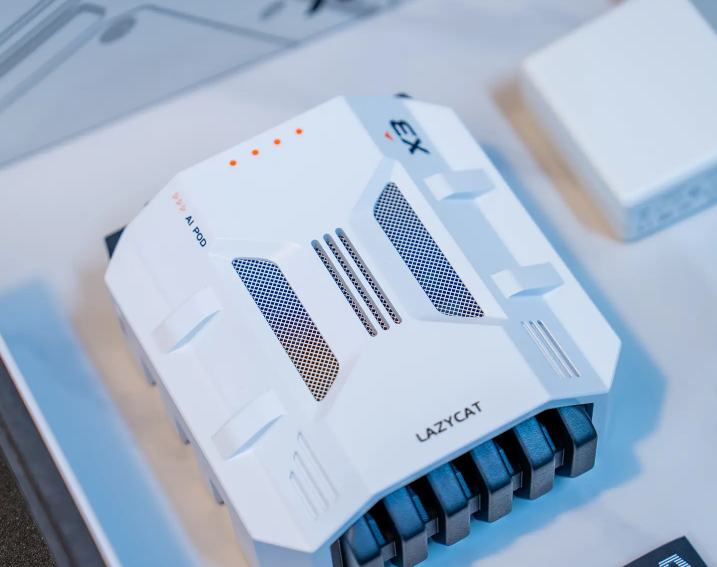
We are very excited to release the AI Pod, and many of you have been asking in the comments what this powerful AI tool is used for.
Today, we’ll break down in detail just how capable your AI personal assistant can be with the LCMD + AI Pod combo.
1. Webpage Summary
Let’s start with the most basic AI-powered features: webpage summarization, paraphrasing, and translation.
Highlights: No AI subscription required, unlimited daily AI usage, and daily cost less than ¥0.3.
2. AI input box
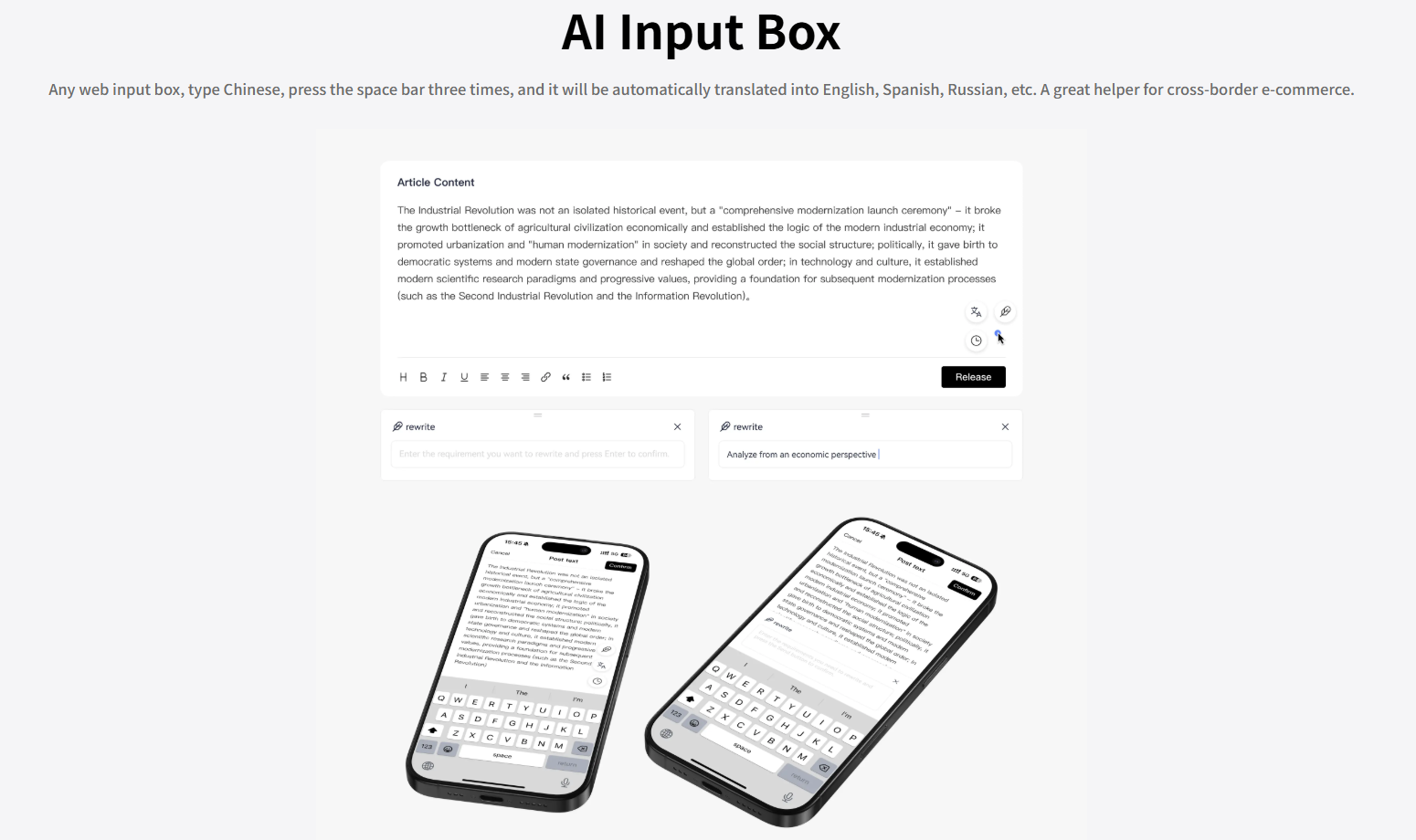
Are you still typing in Chinese, switching to translation tools, then copying and pasting back when chatting with foreigners?
Highlight: Just type Chinese in any webpage input box, press the spacebar three times, and it will instantly translate into English, Spanish, Russian, and more. Real-time translation makes it the perfect assistant for cross-border e-commerce.
3. Personal knowledge database
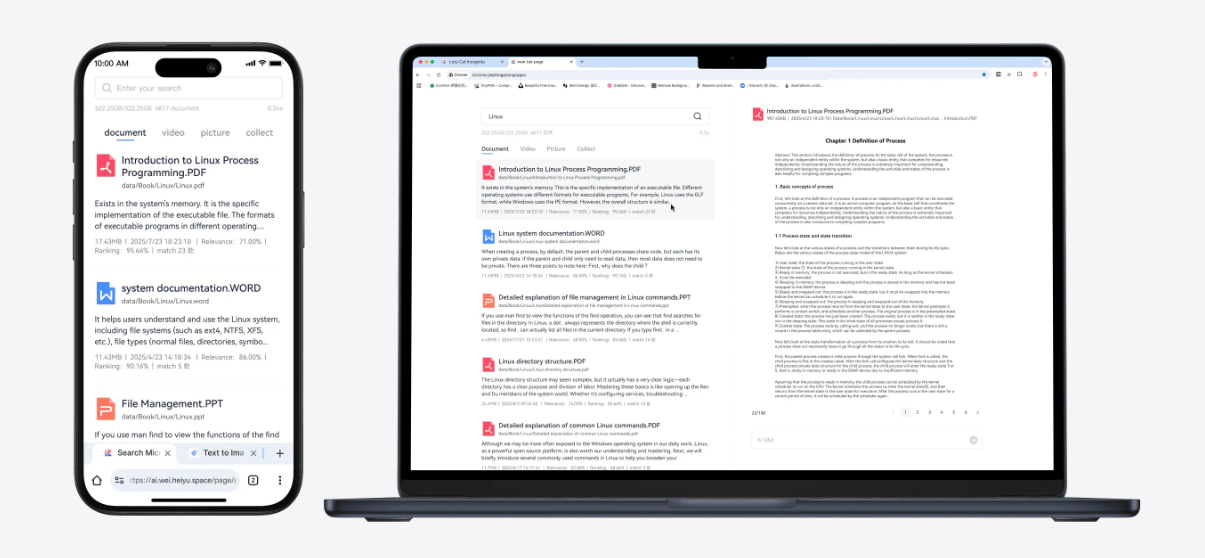
I personally manage over a million files, and often struggle to find the information I need to share with clients. With AI Pod, I can:
(1)Search across all files in just 0.3 seconds;
(2)AI-powered search for documents, images, and videos;
(3)No need to remember exact keywords — AI understands even vague or long descriptions.
The most impressive feature is video search: it can scan video frames, subtitles, and audio content. This is truly a world-leading AI video search engine.
What’s more, all data processing happens locally. You never have to upload personal files to the cloud, guaranteeing complete privacy and security.
4. Text to Image & Text to Video
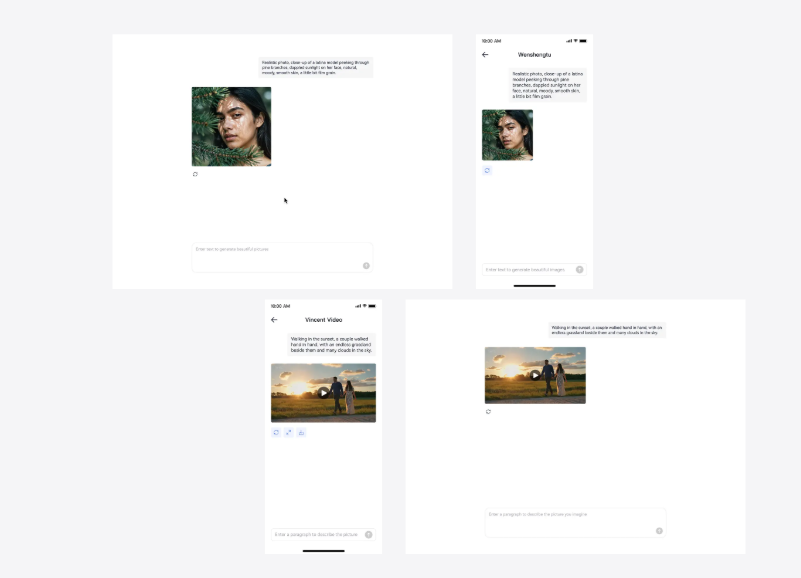
Current AI models for image and video generation are incredibly powerful, yet ordinary consumer graphics cards are completely inadequate to run them. Consumer-grade graphics cards only have a maximum of 32GB of VRAM, which is insufficient to load these AI models. Meanwhile, online AI services charge high fees for generating just a single image or video.
Highlights: With 64GB of VRAM, it generates images and videos locally at home, one image generated in just 4 seconds, up to 20,000 images generated per day, and daily electricity cost for 20,000 images is only ¥0.3.
5. Smart Screenshot of Webpage
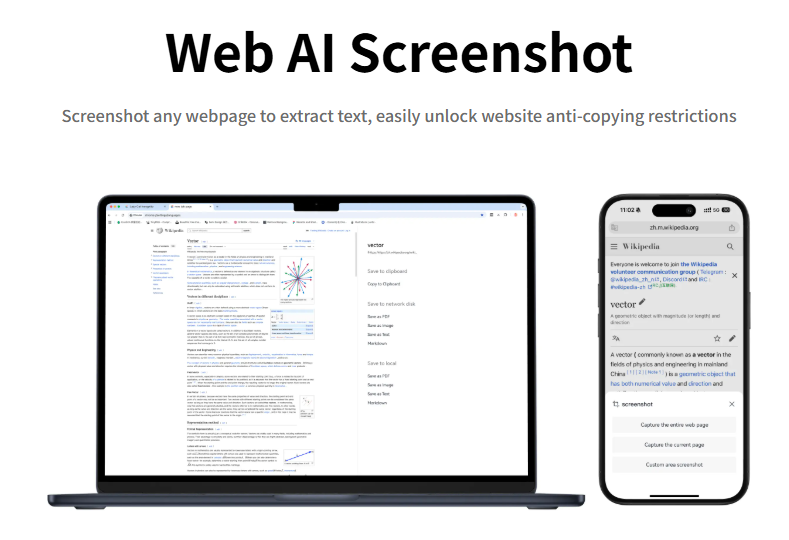
Many websites charge a fee for copying documents.
Highlight: Powered by AI large model, it can automatically save screenshots as PDFs, Markdowns, and plain text. It also allows for further processing of extracted text even on a mobile phone!
6. Video AI Summary
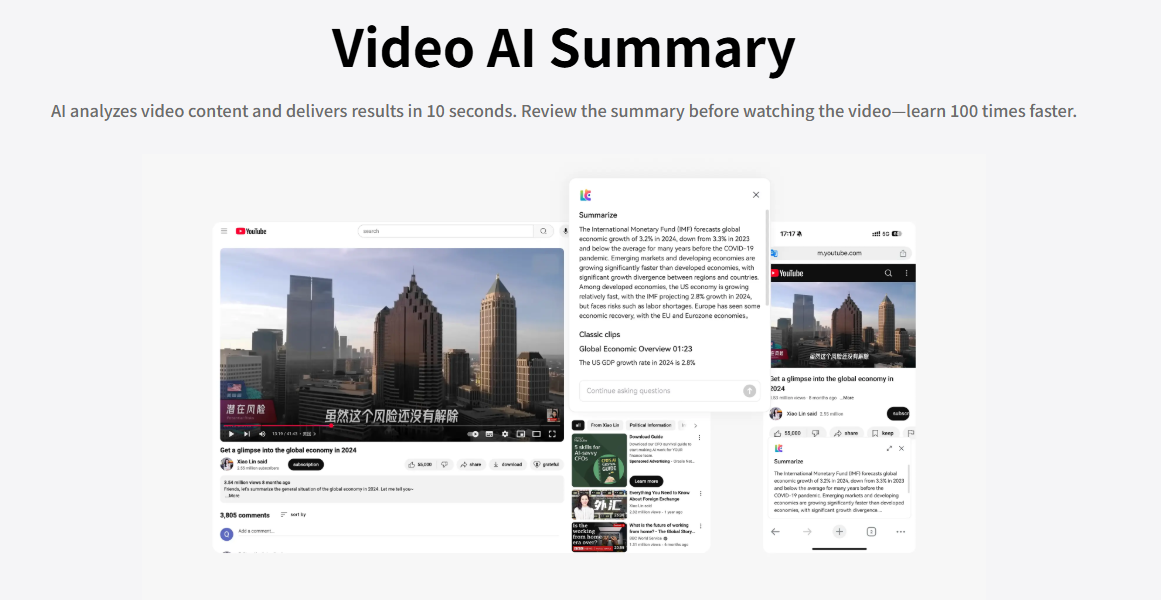
Is it worth listening to a 2-hour video?
Highlights: AI analyzes video content, providing results in 10 seconds. Watch the summary before watching the video, learning speed boosted by 100x.
7. More AI Features
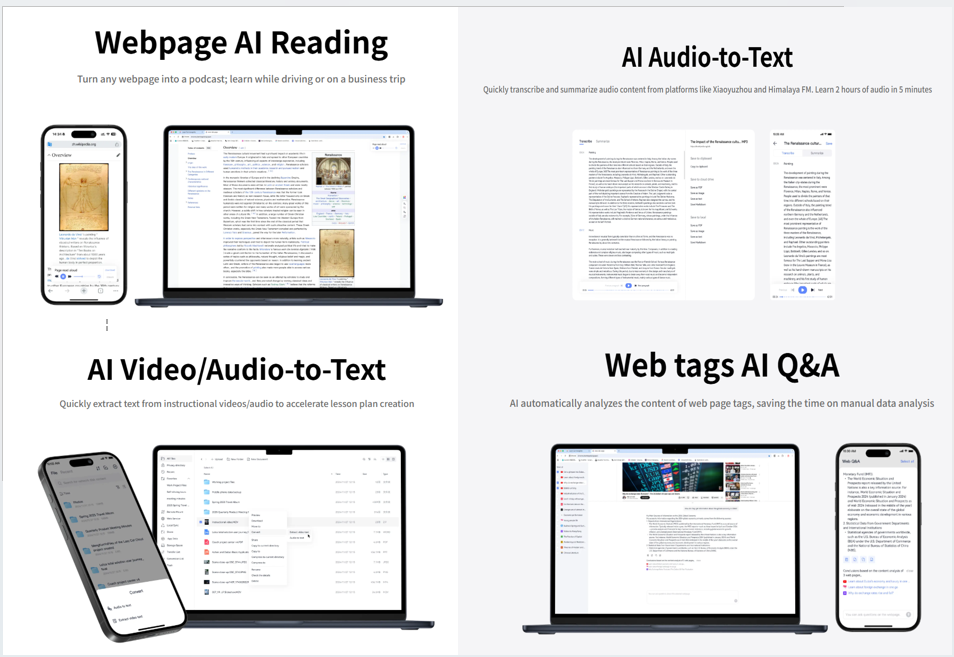
Webpage AI Reading: Come across a great article but lack time to read while traveling or driving? Turn any article into a podcast in one click and learn on the go — your perfect companion for investors.
Audio Learning Helper: Found an excellent podcast on Xiaoyuzhou or Ximalaya but don’t have time to listen in full? Convert speech to text with one click and efficiently grasp the latest information on the go.
Video Information Extraction: Teachers once spent hours analyzing videos to make teaching plans. Now, simply select a video and right-click to batch-extract the text, boosting the planning efficiency by 100 times.
Webpage Search: Researching a stock once meant opening countless browser tabs and reviewing each page manually. Now, simply enter your keywords, and LCMD AI Browser will automatically search, analyze, and summarize the content with amazing efficiency.
Lead the future — own your private AI supercomputer today!