
Apprise: Notification Tool for Multiple Platforms
1. What is Apprise?
Simply put, Apprise is a tool for push notifications. It unifies multiple notification services into a single, simple interface. You no longer need to write code for each platform, a single command can send mass notifications!
2. What Can it Do?
Supports 100+ notification services: Email, Telegram, Discord, Slack, DingTalk, Lark, Pushover...
Unified calling method: The calling method is equally simple regardless of the platform.
Supports sending attachments: Images and files can all be sent.
Lightweight: Low resource consumption, runs extremely fast.
Customizable plugins: If it doesn't support a particular service, you can write your own plugins.
3. Quick Start: Get Your First Notification in 5 Minutes
After installing the app, go to homepage.
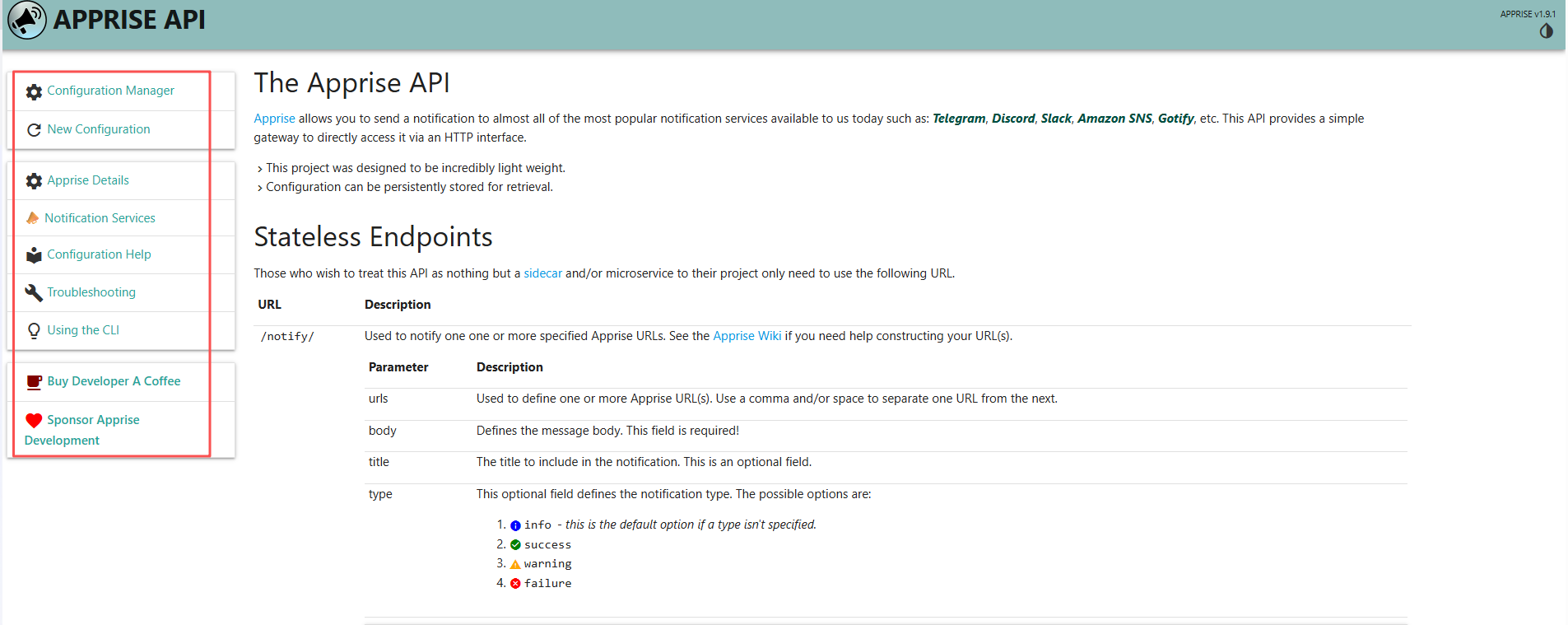
You'll see a navigation bar on the left and a function description on the right.
Click on Configuration Manager:
• To manage and view the current notification service configuration.
• To add, modify, and delete notification channels (such as Telegram, email, etc.).
• Suitable for scenarios that require persistent storage of notification configurations.
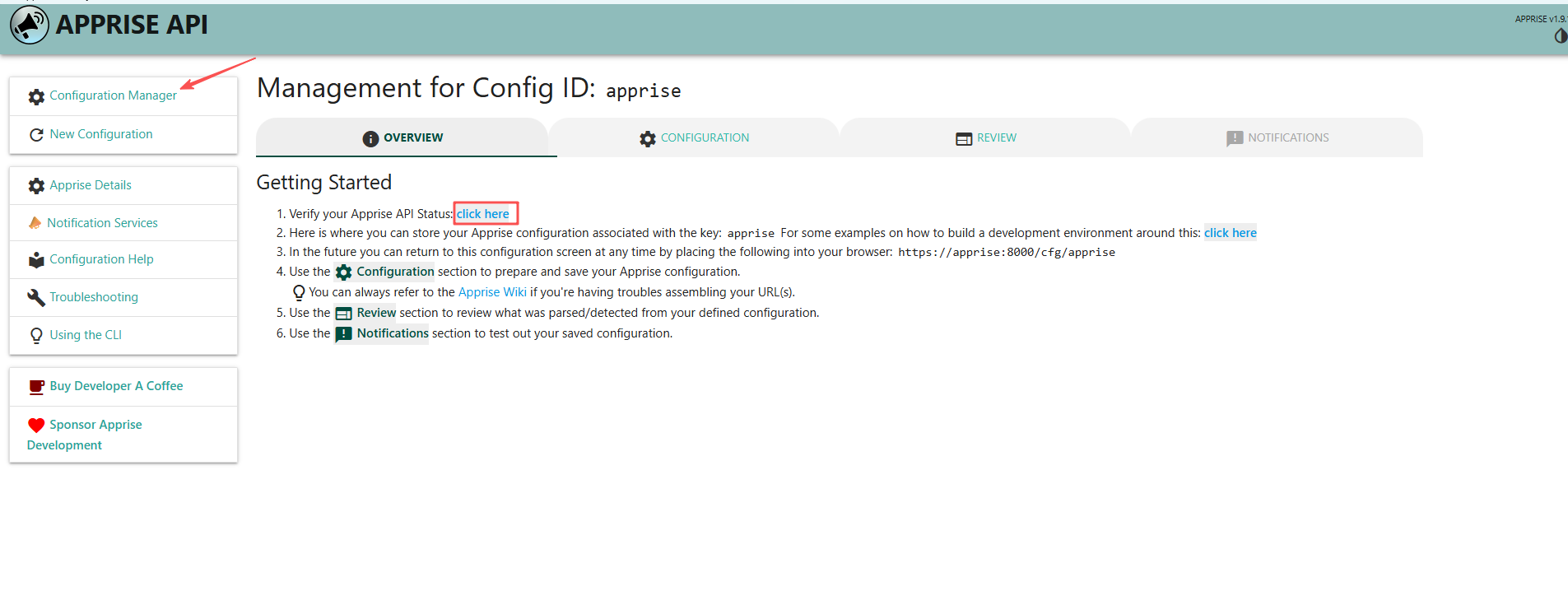
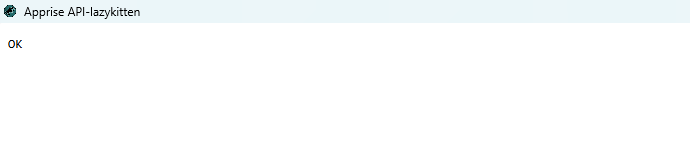
Click "click here" to confirm the service status is normal. "OK" will be displayed if working properly.
Click on Apprise Details. This will list all supported platforms and how to use them.
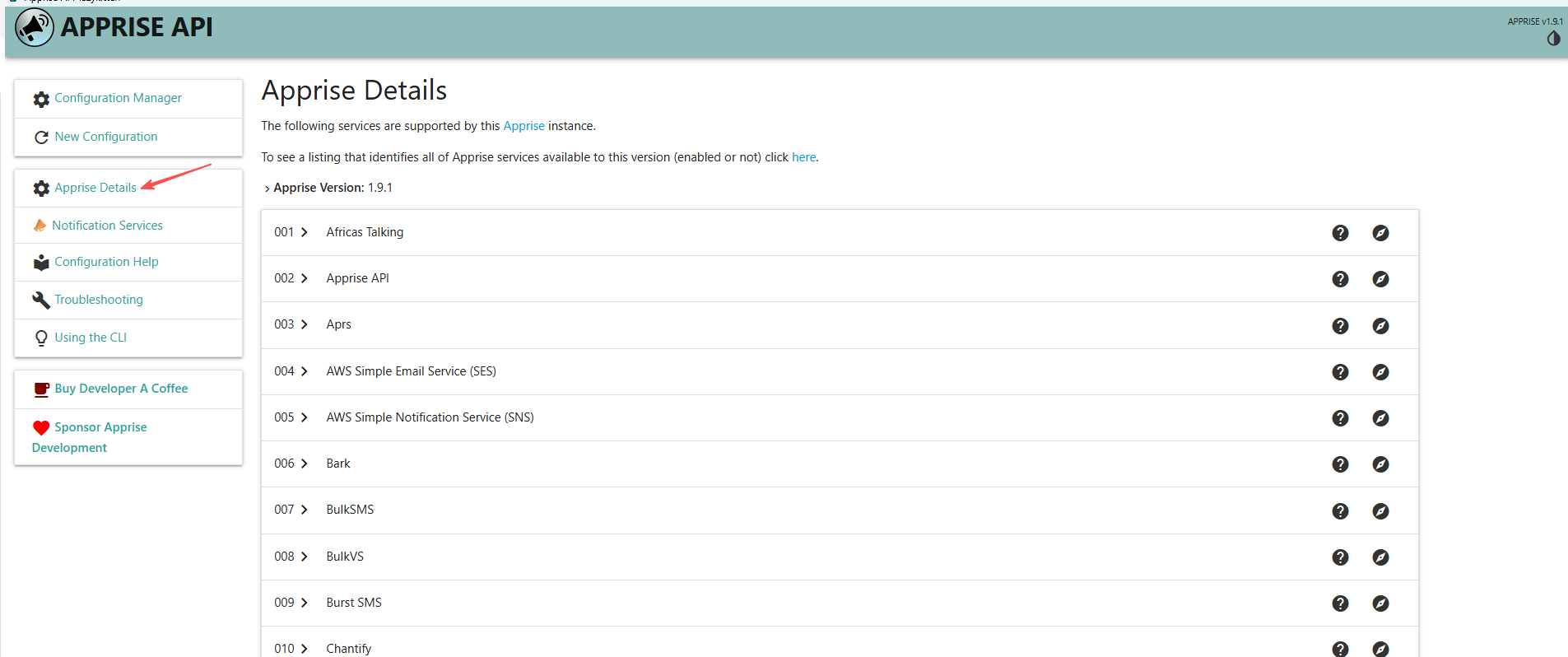
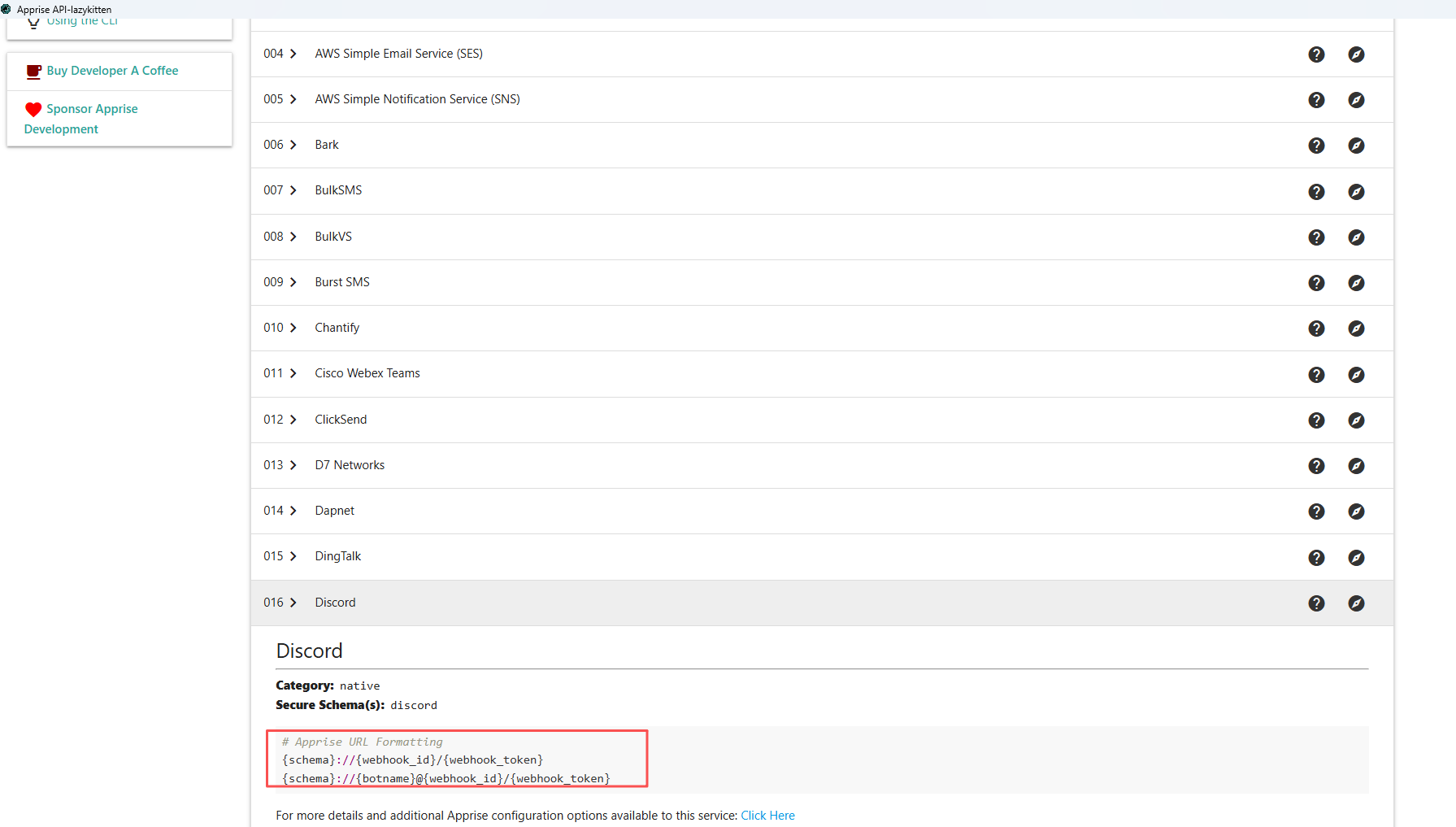
Take Discord as an example. webhook_id and token are required.
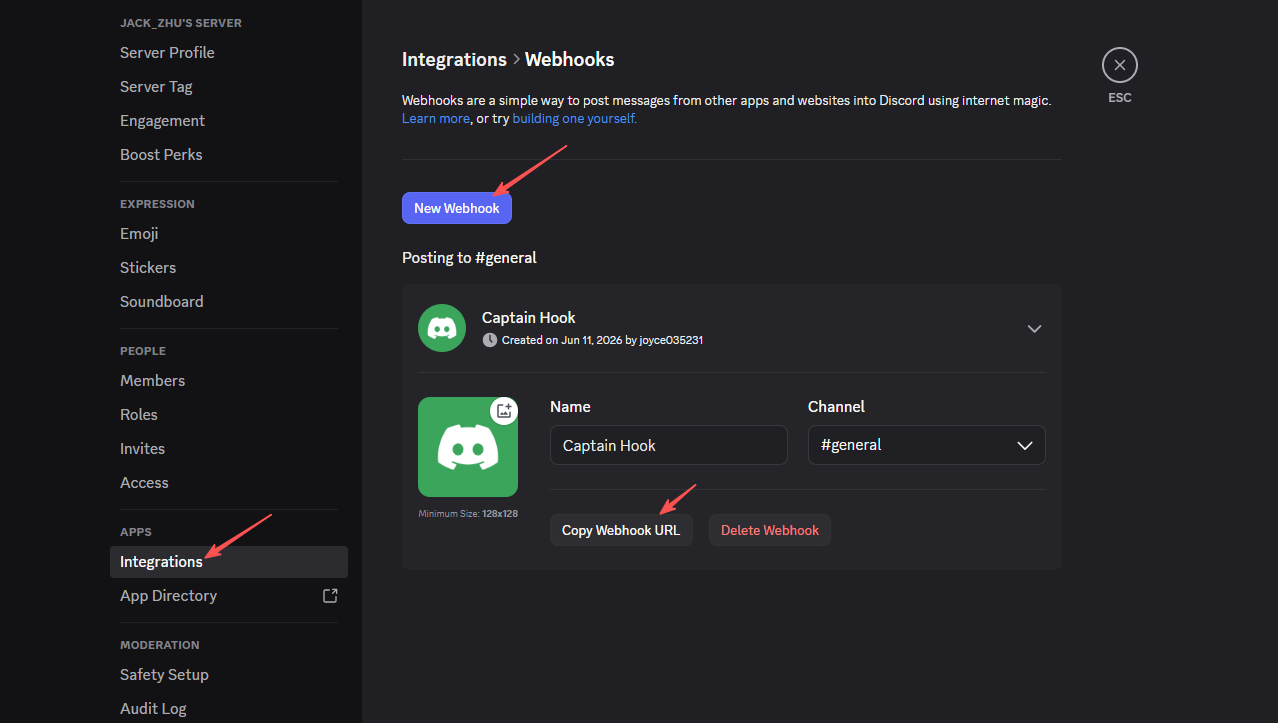
Then go to your discord server, settings → integrations → webhook → new webhook.
Copy the ID and Token from the Webhook URL
Format: discord://webhook_id/webhook_token
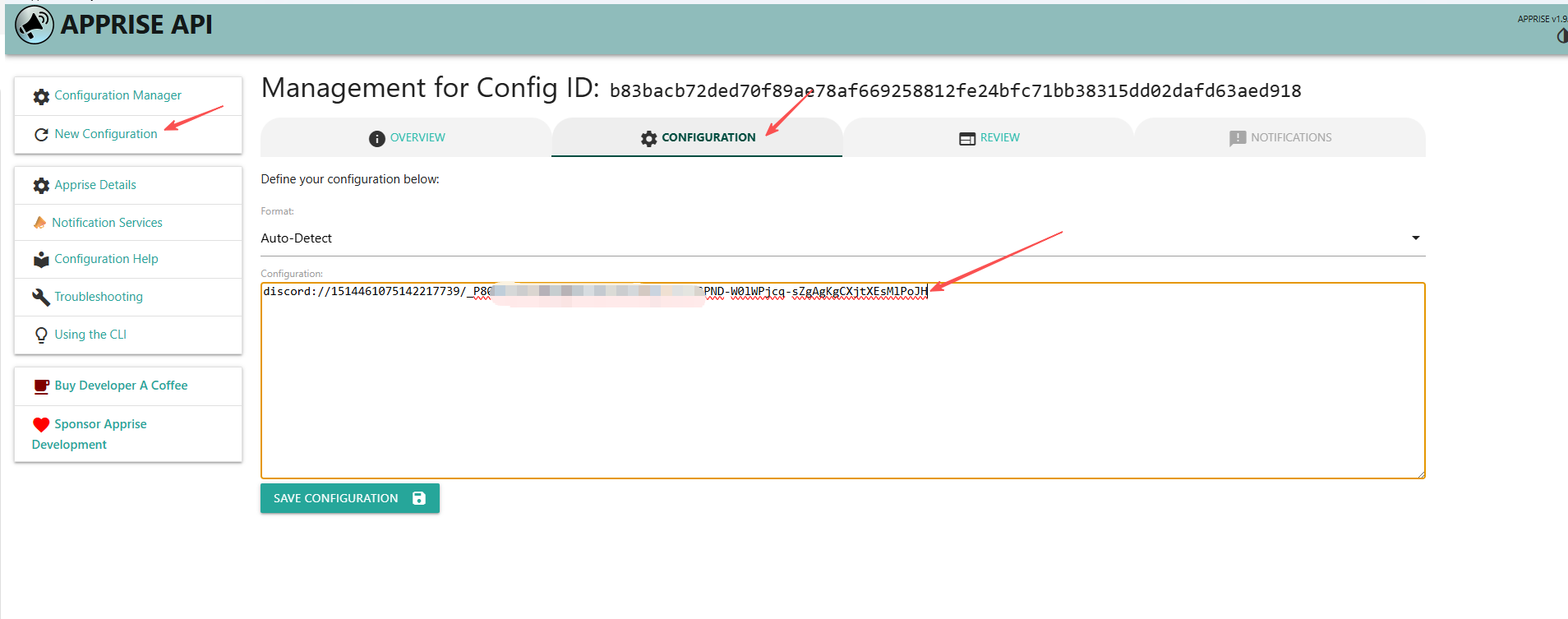
Click New Configuration, add the configurations for discord and save.
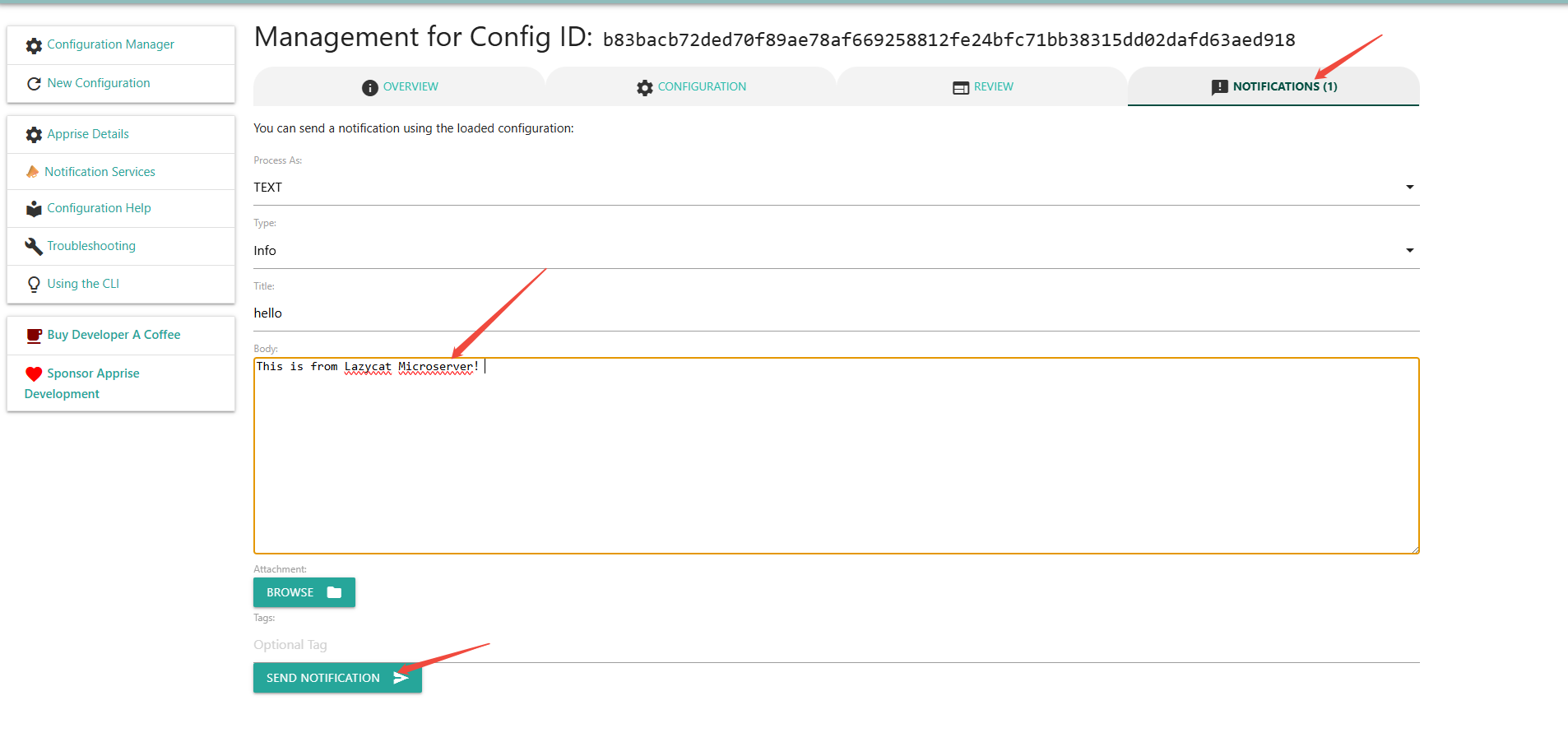
Then create a new notification under right notifications column. And click Send Notification.
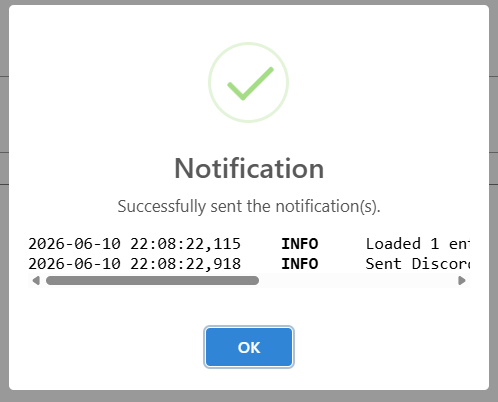
A success prompt will be displayed.
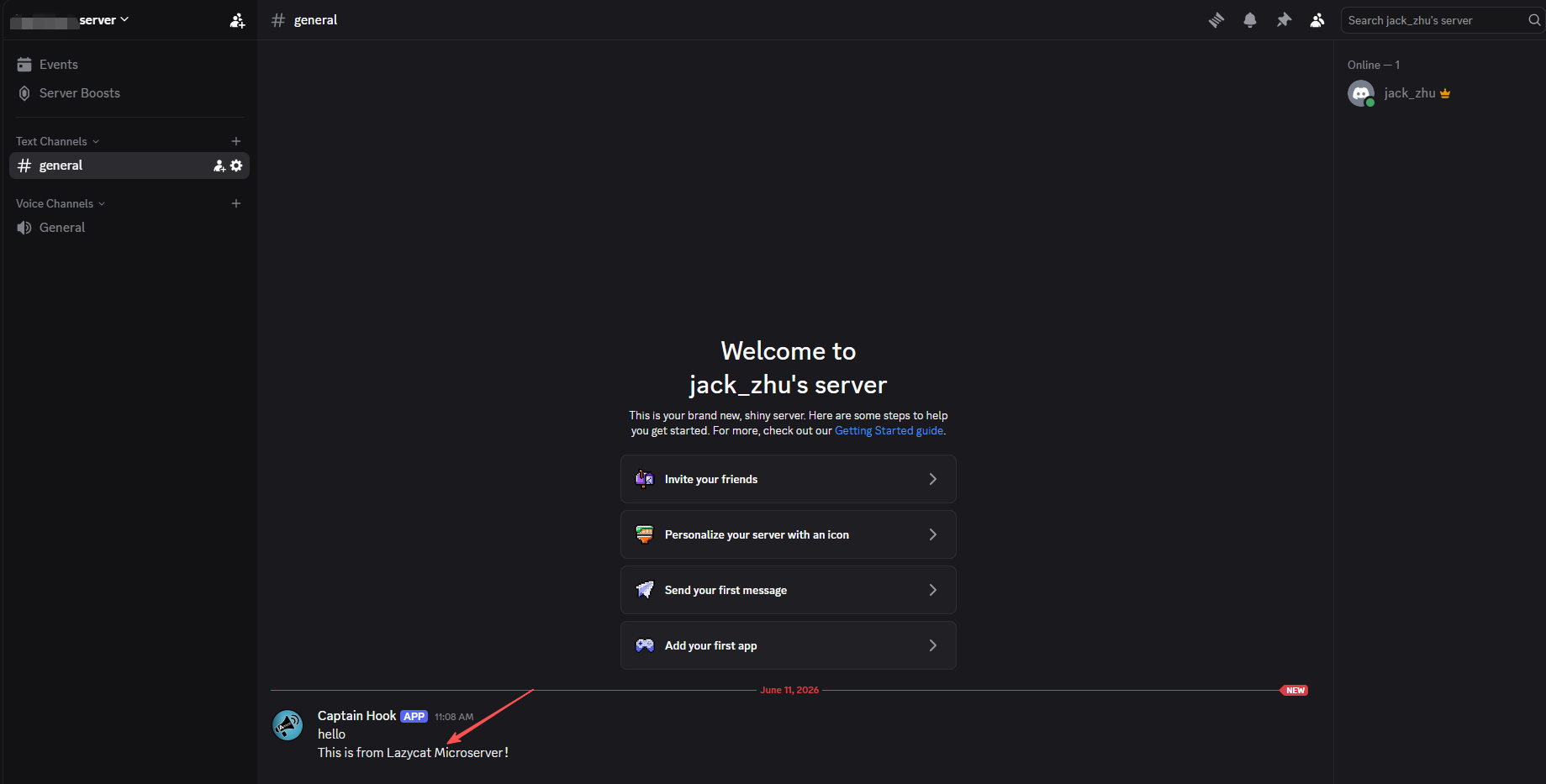
Go back to discord server, you will see the message.
4. Quick Reference for Common Platform Configurations
Email (Gmail as an example)mailto://your email address:app-specific password@gmail.com
Note: You need to generate an "app-specific password" in your Google account settings.
Telegram
Find @BotFather to create a bot and get a token.
Find @userinfobot to get your ChatID.
Format: tgram://bot token/ChatID
DingTalk
dingtalk://token/
Business WeChat
wxteams://corpid/corpsecret/agentid
5. Frequently Asked Questions
Q: Does Apprise support WeChat notifications?
A: It doesn't natively support WeChat. However, you can indirectly get this through services like ServerChan and PushPlus.
Q: Can it send to multiple recipients simultaneously?
A: Of course! Just add a few URLs:
apprise -t "mass texting" -b "content" \
  "tgram://token/chatid1" \
  "tgram://token/chatid2" \
  "mailto://email@gmail.com"
6. Conclusion
Apprise is a highly practical tool, especially when you need to:
Monitor server status;
Automate task notifications;
Distribute messages across multiple platforms;
Integrate notifications from various services.
Its biggest advantage is its simplicity and uniformity. It makes your notification system incredibly easy, eliminating the headaches associated with various API documentation!